
It takes surprisingly little light to make a miniature bookshop feel occupied. A chair waits beside a shelf of tiny books; a warm glow is supposed to turn the display into a place you can imagine visiting. Then you switch it on, and nothing happens. If your book nook lights are not working, identify the exact kit and consult its official instructions before touching anything inside it. Stop if you notice heat, a burning smell, battery leakage or visibly damaged wiring. And resist the urge to pull apart a finished scene: sometimes the missing step is a control you haven’t noticed yet.
The Rolife Bookstore TGB07 is a useful example. On the version shown in Robotime’s TGB07 instruction manual, switching on the battery box is only one part of turning on the lights. The miniature also has a touch control at the front. That small distinction is worth knowing—whether you are trying to revive your own little bookshop or simply wondering how these scenes work.
The Hidden Touch Control
A book nook often looks like a single, solid object when it sits between novels. The illusion depends on hiding the less picturesque details: the back panels, the power source, the tiny parts that make the scene glow. But hidden hardware also makes an ordinary problem harder to recognize.
The maker’s manual for Bookstore TGB07 shows a battery-box switch and, separately, a touch point on the lower front of the finished scene that turns on its light. Robotime’s model-related FAQ also tells owners of the TGB series to check the battery switch and use the touch pad. In other words, moving the slider to ON may not produce the dramatic reveal someone expects until that second control is used.
It is an intriguing piece of design: a tiny storefront can conceal a control in the very wood that frames it. But it is not a universal book-nook trick. Another kit may use a different switch, sensor or power system. Even for a kit labelled TGB07, the instructions supplied with your version should take priority over a page about another edition.
That is why the first useful question is not “Which wire should I fix?” It is “Which book nook is this, and what does its own manual say should happen?”
Your Kit, Your Manual
Check the box, assembly booklet or product listing for the full model name and code. In this example, that means Rolife Bookstore TGB07, not merely “a Rolife book nook.” The published manual linked above has the code 49.2TGB07.100.B on its cover. That identifies the document we checked; it does not prove that every production run has identical controls.
If your instructions do not match the battery holder, switch or front of your model, do not use the TGB07 sequence as a substitute. Find the correct manufacturer instructions or ask the seller to identify the version. A good photograph of the box label may help support do that later.
Before any check, look only at what is already safely accessible. Stop rather than test further if you notice smoke, heat, a burning or chemical smell, leakage, damaged battery parts, bare or crushed wires, or a component you would have to force open. Turn the switch off if you can do so safely. Do not handle leaking or hot batteries or open a sealed section to investigate. These are precautionary stop conditions, not a claim that Robotime specifies a universal temperature or time threshold.
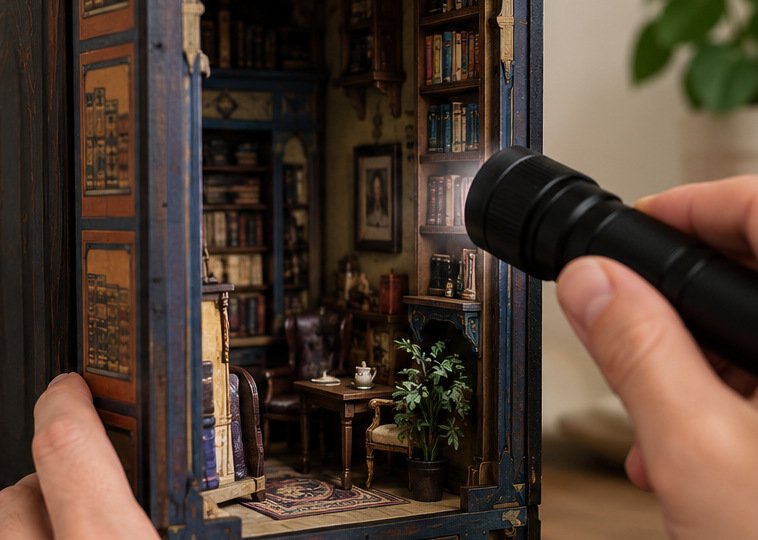
Safe Battery and Switch Checks
For a Bookstore TGB07 that matches the illustrated manual, and only when the battery compartment and controls are safely accessible, the reasonable first checks are modest. If everything looks normal, turn the battery-box switch off before opening its accessible battery compartment:
- Check the batteries. The manual specifies two 1.5 V AAA batteries (also labelled LR03/AM4). Check the + and − markings in the holder and use fresh, matching batteries if needed. Follow the manual’s battery warnings; do not mix old and new batteries.
- Check the battery-box switch. Make sure the accessible switch is fully in its ON position, as the TGB07 instructions show.
- Use the front touch control. On the documented TGB07 configuration, the final manual illustration marks the place near the lower front of the bookshop to touch to turn on the light. Use the location shown for your own version rather than pressing randomly on fragile decorations.
These are checks, not promises. Fresh batteries can rule out one simple possibility; a second control can explain one confusing moment. Neither proves that the LEDs, wires or sensor board are sound.
What if the lights flicker, or worked during assembly but stopped once the final panels went on? That timing is worth noting for support, but it does not authorize removing snapped or glued walls to search for a trapped wire. The close fit of all those tiny pieces is part of what makes the finished miniature look so convincing—and what can make an improvised repair risky.
Rolife’s general lighting-help article discusses connectors, battery contacts and wires caught during assembly. Those possibilities are useful background. They are not automatically approved repair instructions for every kit, and this article deliberately stops before connector manipulation, contact bending, rewiring or dismantling the structure. If you have reached that point, it is time to ask the maker.
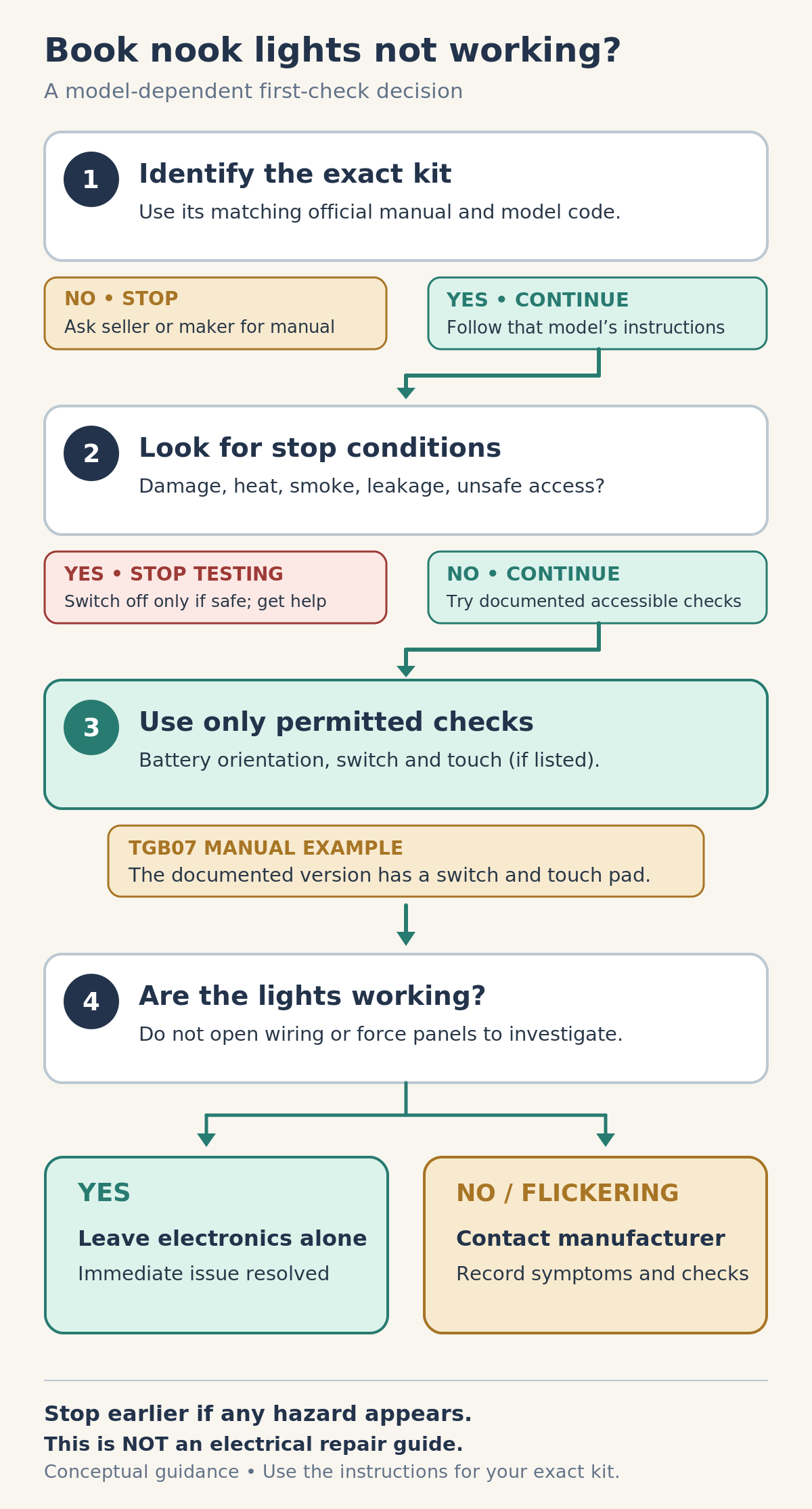
LED Troubleshooting Decision Tree
| What you find | What happens next |
|---|---|
| You cannot identify the exact kit or obtain instructions that match it | Stop and ask the seller or maker to identify the model. Do not guess how its controls or wiring work. |
| You see heat, smoke, leakage, damaged parts or inaccessible wiring | Stop testing. Switch off only if safe; seek manufacturer guidance. |
| The kit and instructions match, and the approved battery/control checks are accessible | Perform only those simple checks described by the applicable manual. |
| The lights come on | Leave the electronics alone; the immediate problem is resolved. |
| The lights stay dark or flicker after those checks | Record the symptom and contact the manufacturer or seller rather than escalating to wiring repairs. |
The same decision reads simply in prose: identify, inspect for reasons to stop, try only the permitted accessible controls, then escalate if the scene remains dark. You do not need to diagnose the circuit to make a useful next decision.
Rolife Support Checklist
When a miniature room refuses to light, the most helpful support request is not a detailed theory about what has failed. It is a clear record of what you actually see. “The lights never turned on” differs from “they worked until I attached the roof,” and both are more informative than guessing that the touch board is defective.
Rolife maintains an official part-replacement service and troubleshooting and after-sales support. The appropriate response depends on the product, seller, location and issue; the existence of a form is not a promise of free parts, a refund or a particular outcome.
Support information card
| Helpful detail | Your notes |
|---|---|
| Kit and model code; manual edition if known | __________________ |
| Seller, order information and country/region, if available | __________________ |
| What happens: never lights, flickers, or stopped after a particular step | __________________ |
| When you first noticed the problem | __________________ |
| Safe, manual-approved checks already tried | __________________ |
| Photos of the model, label and safely visible relevant parts, if available | __________________ |
| What you need: correct instructions, troubleshooting guidance or a replacement assessment | __________________ |
You can turn those notes into a short message: “My kit is Bookstore TGB07. The lights have not turned on since assembly. The supplied manual shows the battery switch and front touch control. I checked the battery orientation, tried fresh batteries and used those controls, but the lights remain off. Could you advise on the next supported step?” Adjust the details to what actually happened. Do not claim to have checked something you could not access safely.
If the issue appears to involve a missing or broken part, describe it instead of attempting to fabricate a substitute. The manufacturer’s replacement process can then determine what information it needs. An owner can be meticulous about a miniature without becoming its electrical repair technician.
Keeping the Miniature Intact
A bright little window can change how a book nook feels. With the lights off, a miniature shop is an arrangement of shelves, signs and tiny furniture. With the lights on, it suggests that someone has just stepped into the next room. It is easy to see why the final switch matters so much.
The sensible response to a dark scene is less dramatic: make sure you have the right model, check the basic controls the maker actually documents, and know where the safe checks end. On a future project, follow the manufacturer’s lighting tests before enclosing hard-to-reach parts and keep ordinary battery access in mind. That is planning for the next build—not a reason to pry this one apart.
Sometimes the second touch control is all that was missing. Sometimes support is the right next step. Either way, the goal is the same: keep the miniature world intact while you find out what its lights need.